The link is made — by immosquare

From the real world.
To the right place.

A link, a contact, a Wi-Fi network. Turn what you want to share into a QR code that reflects you.
Free, no account needed
8 content types
SVG & PNG
01 / The generator

What will you share today?

Easy to create. Ready to share.
01
Choose your content
8 options
Scanning will open this address directly in the browser.
02
Give it your style
Your style
Logo & advanced settings
Keep good contrast and always test the scan before printing.
qrcode-url.svg
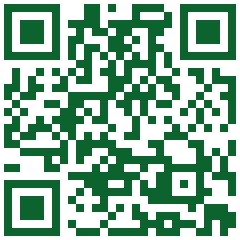
Ready-to-scan example
One scan is all it takes to go further.
What your QR code shares
immosquare.com
Vector: sharp, from small sizes to large posters.
Before sharing your QR code, test it with your phone.
A question about formats?
01

Content to share.

A website, a business card or Wi-Fi access: choose what's behind the scan.
02

Your visual signature.

Adjust the style, colors, and your logo. Your QR code is part of your identity.
03

Create. Test. Share.

Generate your QR code, check the scan, and download the format that fits your medium.
A small square. Big possibilities.

For every medium,
its next step.

On a window, card, or counter,
make information instantly accessible.

A listing you can visit.

From the storefront to the property page: photos, details and info, just a scan away.

A contact to keep.

The right details, no retyping. A business card designed for what's next.

Access to share.

At the office, reception, or a rental: make connecting easier for your guests.

A simple tool. immosquare know-how.

Born from our app needs, QR Generator also supports your projects. Need to add QR code generation to your tool?
Let's talk about your project
Good to know

A few answers.
And you're ready.

Do I need to create an account to generate a QR code?
No. Choose your content, customize your QR code and download it for free, no registration required.
Which format should I choose: SVG or PNG?
SVG stays sharp as you enlarge it: it's ideal for print and layout tools. PNG is an easy-to-use image for web and documents. Its size can be adjusted in advanced options.
Can I change the content of a QR code that's already printed?
The content is directly encoded in the QR code: it can't be changed after creation. For a web link, you can update the destination page while keeping the same address. A new address requires a new QR code.
How do I check that my QR code works?
Scan it with your phone before sharing, then test it on the final medium. Use a light background, contrasting patterns, and leave a clear margin around the code. An oversized logo or similar colors may affect scanning.